
Family-Scale Backup Power: Solar Generator Buyer's Guide
How to size a battery power station with simple watt math, avoid carbon monoxide danger from gas generators, and compare Jackery and EcoFlow picks.
By Randall R. Russell, USMC Veteran
Health note: This is general information, not medical advice. Follow product labels and your doctor or pharmacist.
When the power goes out, your family needs three things fast. You need light, a charged phone, and food that does not spoil. A battery power station (sometimes called a "solar generator") can cover all three. This guide shows you how to pick the right size. It also shows you how to use it safely.
Safety steps below follow published CDC/EPA/USDA guidance, which we've checked against the original sources. We're not medical professionals, so use your own judgment and ask a qualified professional about your family's situation.
Step by step
1. Start with what is already free
- Use flashlights, not candles.
- Keep the fridge and freezer doors shut. A closed fridge stays cold for about 4 hours.
- Unplug appliances and electronics. This protects them if the power comes back with a surge.
- Turn on a battery-powered or hand-crank radio for news and weather.
- Keep phones charged from the start of the outage.
- Know where your garage door's manual release lever is, and how to use it.
- Home too hot or too cold? Go somewhere in town that has power, like a cooling or warming center.
2. Carbon monoxide: the biggest danger
A gas generator makes a poison gas called carbon monoxide, or CO. You cannot see it or smell it. It can kill in minutes.
- Never run a gas generator inside a home, garage, basement, crawl space, shed, or on a porch. Not even with doors and windows open.
- Never leave a car running in a garage attached to your house, even with the garage door open.
- Run it outside only, at least 20 feet from windows, doors, and your house.
- Put a battery-powered CO alarm on every floor, especially near bedrooms. Test it every month.
- Signs of CO poisoning: headache, feeling dizzy or weak, an upset stomach, throwing up, feeling very sleepy, or confusion.
- If you suspect CO poisoning, or your CO alarm sounds, get outside right away. Then call 911.
A battery power station is different from a gas generator. It has no engine and burns no fuel, so it makes no exhaust the way a gas generator does. You charge it and plug things into it, like a big phone charger.
Before comparing a specific station, use the watts, surge and hours worksheet in EcoFlow backup power: size your loads first.
3. List what you need, and add up the watts
List the things you truly need: lights, phone chargers, a radio, maybe a fridge for part of the day. Every device pulls a certain number of watts. A light bulb pulls a little. A fridge pulls a lot. Here are typical watts for a few common devices. Next to each one is about how long a 1,070-watt-hour station can run it alone. The times use about 830 watt-hours you can really use. Step 4 explains why.
| Device | Typical watts | About how long it runs |
|---|---|---|
| LED light bulb | ~10 watts | about 80 hours |
| Laptop | ~60 watts | about 14 hours |
| Mini fridge | ~100 watts | about 8 hours |
Add up the watts of everything you plan to run, then leave some room to spare. Write your list on paper and tape it to the power station. That way, everyone in the family knows the plan. A station rated for 1,500 watts of output cannot run a central air conditioner or an electric stove. Those need far more power than a family-size station puts out. Save this size station for the smaller jobs that matter most.
4. How a power station works, and how long it lasts
Watts and watt-hours are not the same thing. Watts show how hard a device pulls power right now. Watt-hours show how much power is stored, like a water tank. A 1,070-watt-hour station does not give you all 1,070 hours-of-one-watt back. Batteries lose a little power, and it is smart to stop before they hit empty. A fair real-world number is about 830 watt-hours you can actually use.
To find runtime, divide the usable watt-hours by the device's watts. For the mini fridge: 830 watt-hours ÷ 100 watts = about 8 hours. Want to run the lights and the mini fridge together? Add the watts first: 10 + 100 = 110 watts. Then divide: 830 ÷ 110 = about 7.5 hours.
5. Pick your gear
Want more options? See the backup power gear page, the power station comparison, and our post on sizing a power station by loads and panels. All of our picks live under Gear Reviews.
Two power stations and one radio cover most family needs. Don't forget the basics, too: see our water guide and food guide.
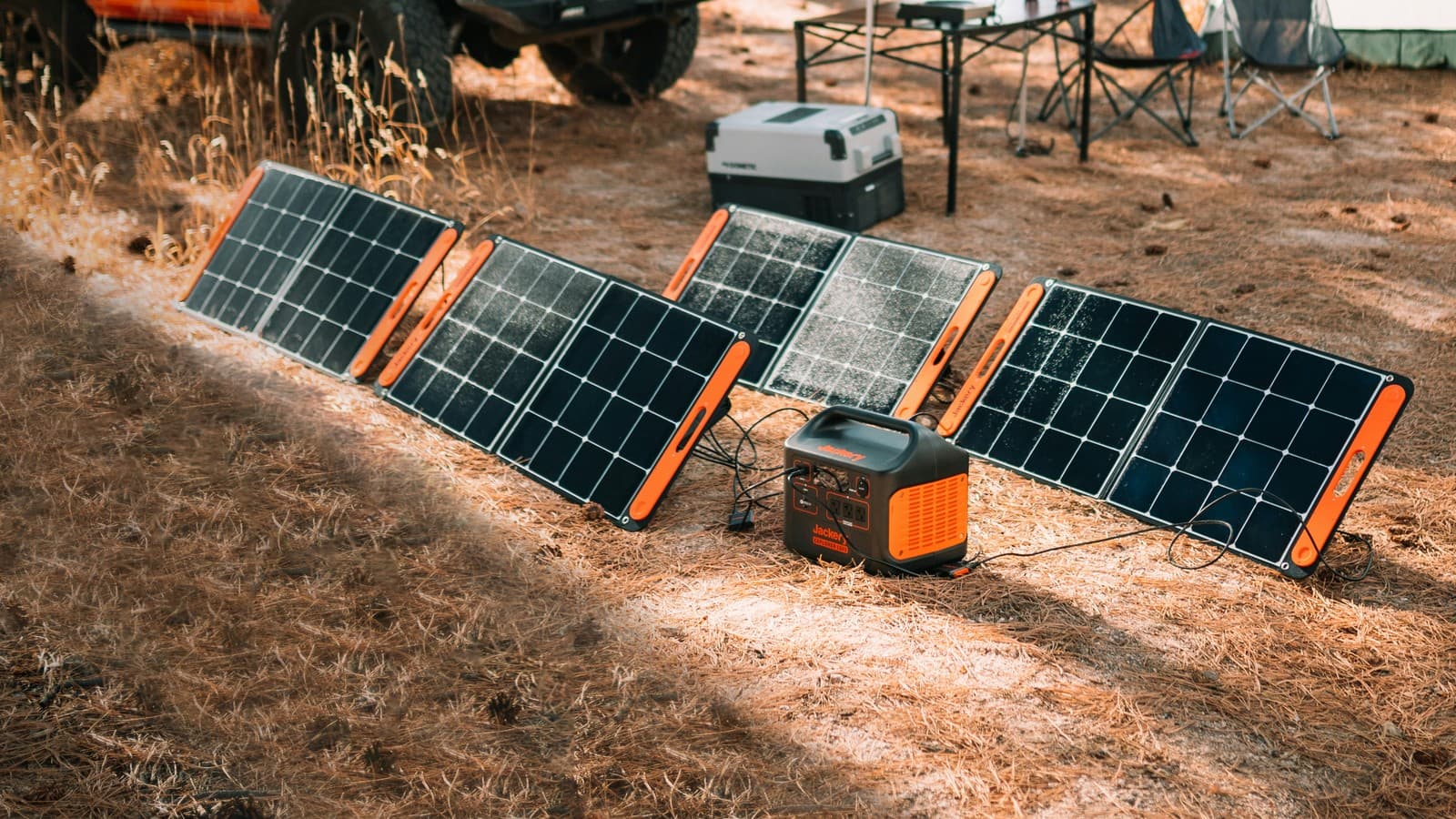
Jackery Explorer 1000 v2 (paid link) holds 1,070 watt-hours. It puts out up to 1,500 watts. Its battery type, called LiFePO4, is built to last. On a wall outlet, its "Emergency Super Charge" mode fills it from 0 to 100% in about 1 hour. A normal charge takes closer to 2 hours. It can also charge with a 200-watt solar panel. Honest downsides: it is heavy, so give it a permanent spot instead of carrying it far. Solar charging still takes hours, not minutes. Like any station this size, it cannot run whole-house heating or cooling. Jackery does not recommend it for medical devices or life-support equipment.
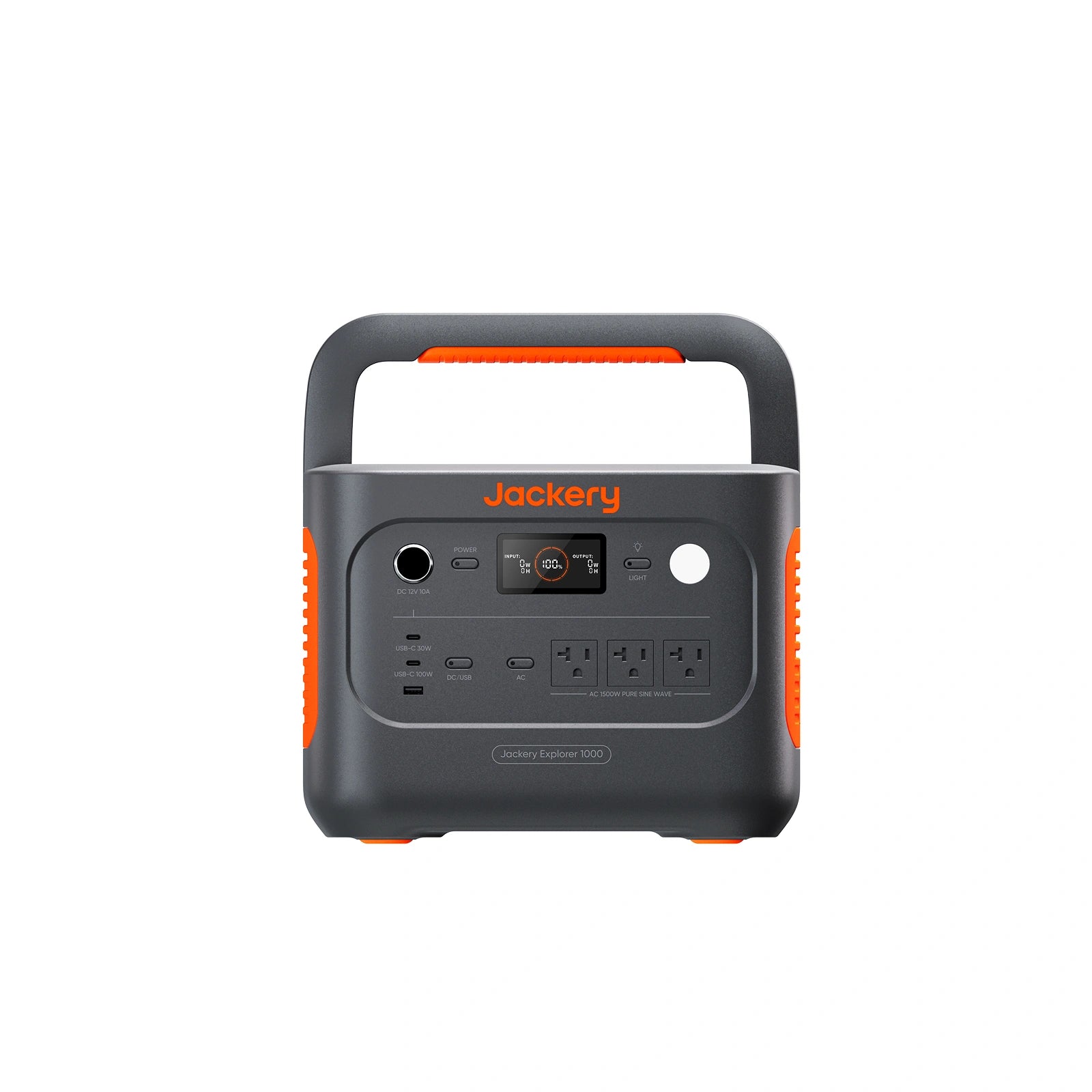
View Jackery Explorer 1000 v2 (paid link)
EcoFlow DELTA 3 Classic (1024Wh) (paid link) holds 1,024 watt-hours, also with a LiFePO4 battery. EcoFlow lists up to 1,800 watts of total AC output and up to 500 watts of solar input. Panels are not included with the base model, so check which version you order. Honest downsides: EcoFlow lists it at about 12 kilograms (roughly 27 pounds), so give it one spot instead of carrying it far. Solar charging still takes hours, not minutes. Like any station this size, it cannot run whole-house heating or cooling.
View EcoFlow DELTA 3 Classic (1024Wh) (paid link)
For news and weather, try the Midland ER310 (paid link). It is a NOAA weather radio. You can power it with solar, a hand crank, or its own battery. That battery runs up to 45 hours per charge. It also has a bright flashlight built in. Honest downside: it is a radio and flashlight, not a power station. It will not run your fridge or your lights.
View Midland ER310 (paid link)
Kids, older adults, pets, and anyone with special needs
A dark, quiet house can feel scary to a young child or an older family member. Keep a flashlight and a few comfort items near each person's bed. Try to keep bedtime and meals close to normal. A simple routine helps everyone feel calmer. Keep pets close, with water and a leash by the door.
Keep it ready
A power station only helps if it has charge when you need it. Lithium batteries last longer when you do not leave them sitting empty. Follow your power station's manual for the storage charge level and how often to top it up, and do it before storm season.
Printable checklist
- ☐ Flashlights for every family member (no candles)
- ☐ Battery-powered or hand-crank radio
- ☐ Battery-powered CO alarm on every floor
- ☐ Power station charged and ready
- ☐ Solar panel, if you have one, stored where you can find it fast
- ☐ A written list of what you will plug in first
- ☐ Manual release lever on the garage door, tested once
- ☐ Any special family needs planned for ahead of time
Where this advice comes from
- Ready.gov: Power Outages
- Ready.gov: Build a Kit
- Ready.gov: Space Weather (garage door guidance)
- American Red Cross: Power Outage Preparedness Checklist
- American Red Cross: Power Outage Safety
- CDC: Keep Your Generator Outside
- CDC: Carbon Monoxide Poisoning Basics
- CPSC: What to Know About Generators and Carbon Monoxide
- U.S. Department of Energy: Purchasing Energy-Efficient Light Bulbs
- Product details: each maker's own pages (Jackery: Explorer 1000 v2 specifications; Jackery: Battery Run Time Calculator; EcoFlow: DELTA 3 Classic Portable Power Station (1024Wh); EcoFlow: Solar Panel Wattage FAQs; Midland: ER310 Emergency Weather Radio)
Last checked against these sources: September 28, 2026. EcoFlow DELTA 3 Classic details checked October 8, 2026.
Every pick above also sits with our other backup power & solar picks.
See all Backup Power & Solar picks on the Deals page →